ChatNexus User Guide
Everything you need to build, deploy, and manage your ChatNexus AI assistants — step by step.
Appointment Booking
Let customers book appointments directly through your AI agent's chat widget.
ChatNexus includes a built-in appointment booking system. Set your weekly availability, define exceptions for holidays or extra hours, and let your website visitors book time slots - all without leaving the chat widget.
Starting a new booking agent? The Appointments & Scheduling template pre-fills the instruction and knowledge base. For a broader overview, see automating appointment booking with an AI assistant, or browse all templates such as Salon & Spa. Prefer a single walkthrough? Read let your chatbot book appointments in 15 minutes.
Set Weekly Availability
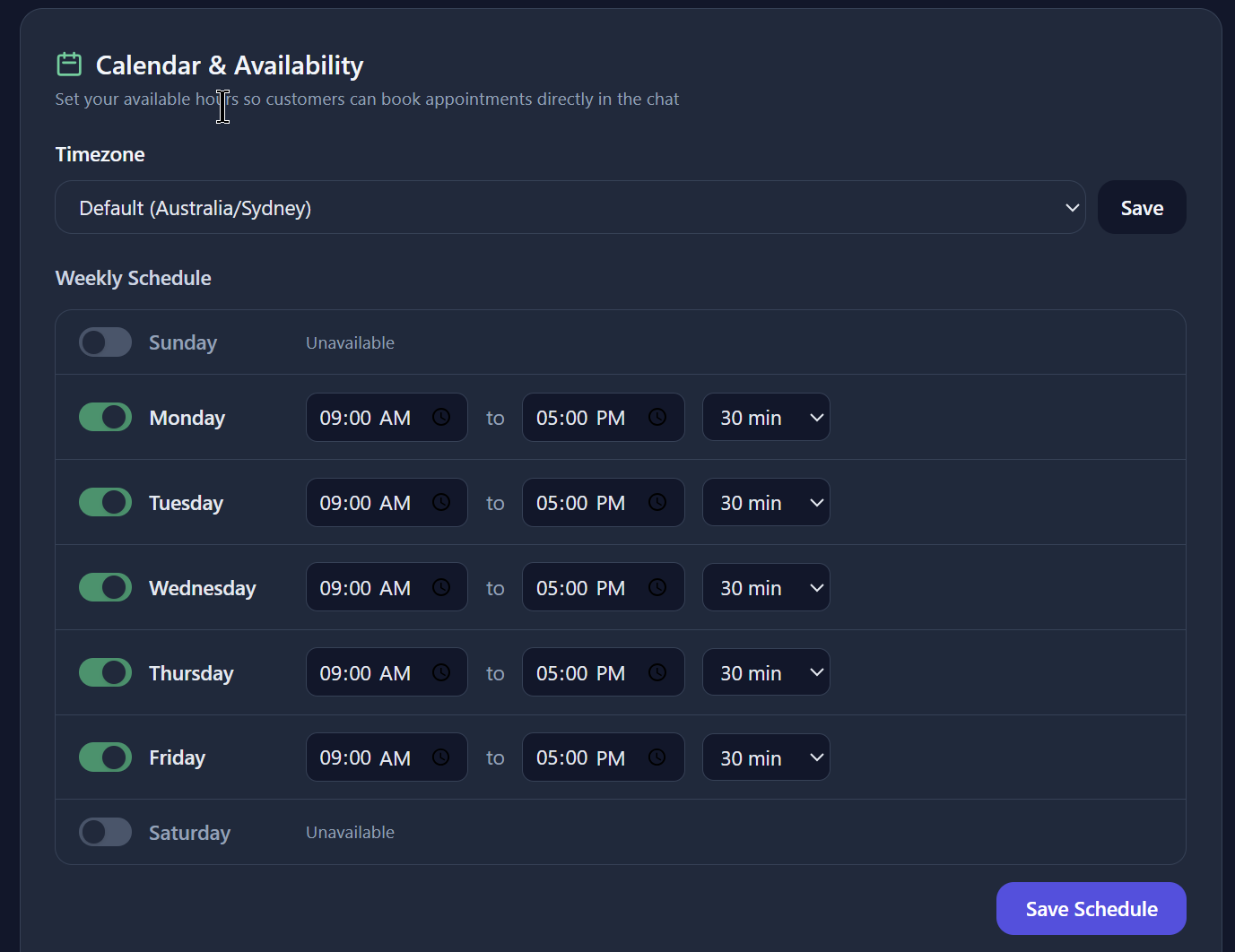
Navigate to your agent's detail page and open the Booking tab. Here you can configure your weekly schedule:
- Enable or disable each day of the week
- Set start and end times for each active day
- Configure appointment duration (e.g., 30 minutes, 1 hour)
Connect Google Calendar (optional)
On the same Calendar & Availability section, click Connect Google Calendar. Once connected:
- Busy times on your Google Calendar are blocked from booking slots
- Confirmed ChatNexus bookings are created as Google Calendar events
- Cancelling or rescheduling updates (or removes) the matching event
Add Date Exceptions
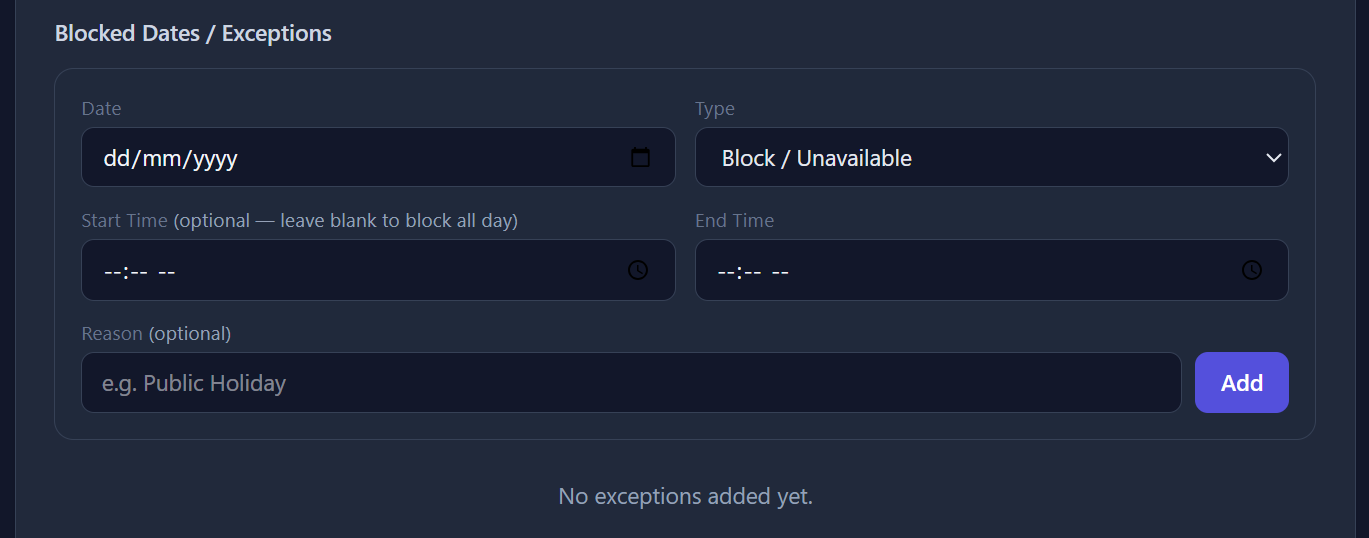
Override your regular schedule for specific dates - useful for holidays, vacations, or extra availability days.
- Block a date - Mark a normally available day as unavailable
- Add extra availability - Open up a normally off day with custom hours
Manage Bookings
View all upcoming bookings in the booking list. Each entry shows:
- Customer name, email, and phone number
- Booking date and time slot
- Booking status (confirmed, rescheduled, cancelled)

Export to Calendar
Each booking can be exported as an ICS file, which you can import into Google Calendar, Outlook, Apple Calendar, or any other calendar application with a single click.
What Visitors See
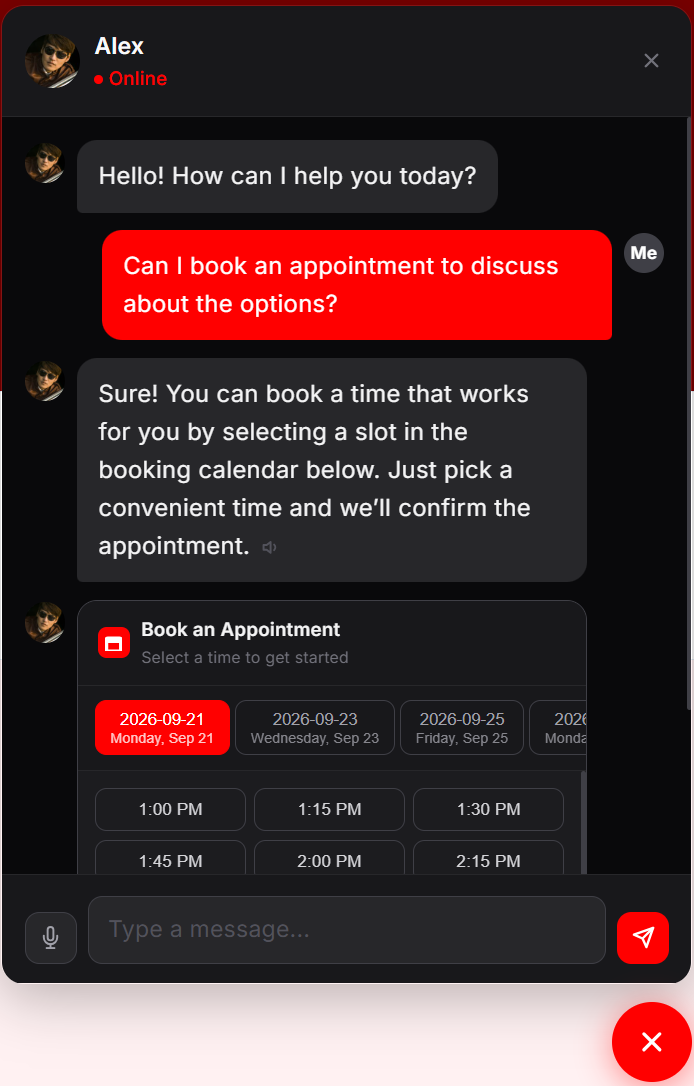
When a visitor asks to book through your agent's chat widget, the agent can show an in-chat booking calendar with available dates and time slots. No login is required. They'll receive a confirmation email with a link to reschedule or cancel.