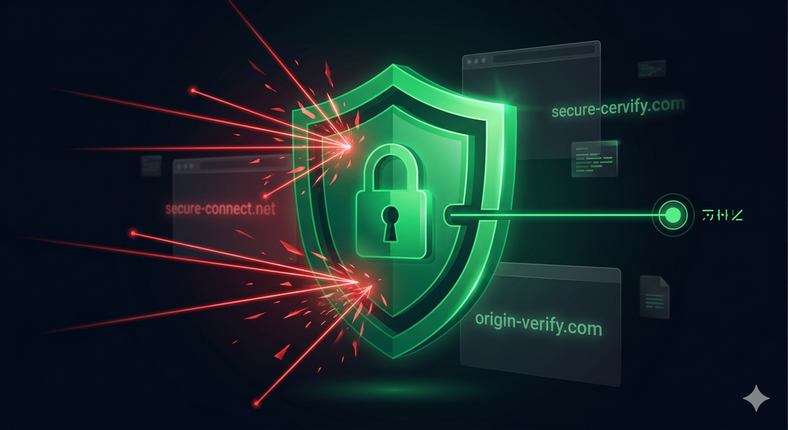
The Attack Surface of an Open Embed Code
A typical chatbot embed snippet looks something like this:
<script src="https://chat.example.com/widget.js"
data-agent-id="abc123"></script>
This snippet is public by design - it has to be, for your chatbot to load on your site. But that public identifier is all someone needs to embed your chatbot on any domain they control. And that creates a surprisingly wide attack surface.
Real-World Abuse Scenarios
Scenario 1: Credit Hijacking
Your chatbot processes conversations using credits or an API budget. A competitor - or simply a malicious actor - embeds your chatbot on their own site and drives traffic to it. Every conversation drains your allowance. They get free AI assistance; you get the bill.
At scale, an automated script submitting queries to your widget can exhaust a monthly credit budget in hours.
Scenario 2: Brand Impersonation
An attacker creates a phishing site that closely mimics your brand, then embeds your legitimate chatbot on it. Users arrive on a fraudulent page, interact with your real chatbot (which responds helpfully as your brand), and are then deceived into sharing sensitive information with the surrounding malicious page.
Your chatbot becomes an unwitting accomplice in a social engineering attack.
Scenario 3: Prompt Injection via Hostile Pages
If your chatbot is embedded in a context you don't control, the surrounding page can attempt prompt injection - injecting instructions into the page content that the chatbot may process as context, potentially overriding your system prompt or extracting internal knowledge base content.
Scenario 4: Automated API Spam
Without origin restrictions, automated scripts can query your chatbot endpoint directly, bypassing the widget UI entirely. This is the vector for exhaustion attacks, data extraction attempts, and abuse of any free-tier conversation limits.
What Is Domain Whitelisting?
Domain whitelisting is a security control that restricts which websites are permitted to embed and interact with your chatbot widget. When a request arrives at your chatbot's endpoint, the system checks the request's origin against your approved list.
If the origin is on the list: the chatbot loads and responds normally.
If the origin is not on the list: the request is rejected before any processing occurs.
This simple check eliminates the entire category of unauthorized embedding attacks.
How Origin Validation Works
When a browser makes a cross-origin request (your chatbot widget on your site making a
request to the chatbot server), the browser automatically attaches an Origin header
containing the requesting domain:
Origin: https://yourcompany.com
The server validates this header against the whitelist. CORS (Cross-Origin Resource Sharing) headers are then set to either allow or block the response from being read by the requesting page.
Note that the Origin header is set by the browser and cannot be spoofed by
ordinary web page JavaScript. Automated scripts and curl requests can set arbitrary headers,
which is why server-side origin validation should be combined with rate limiting
and token-based authentication for API endpoints.
How ChatNexus Protects You
Every ChatNexus agent includes an Allowed Domains configuration field in the integration settings. When you specify allowed domains, the widget API enforces origin validation on every request:
- Requests from unlisted domains are rejected before any AI processing occurs
- No tokens are consumed for rejected requests
- No conversation entry is logged
- The response to the unauthorized origin contains no chatbot content
This protection is enforced server-side, not just in the widget JavaScript - so deleting the frontend check doesn't help an attacker.
Best Practices for Domain Whitelisting
-
List subdomains explicitly.
yourcompany.comandwww.yourcompany.comare different origins. Include both if your site uses both, plus any staging environments you legitimately need. - Never use a wildcard to allow all domains during production. Wildcards defeat the purpose of the control and are appropriate only for local development.
- Review your domain list when you change infrastructure - migrating from one URL to another is a common moment where the whitelist gets out of sync.
- Combine with rate limiting. Domain whitelisting stops unauthorized embedding; rate limiting stops abuse from authorized origins sending unreasonably high request volumes.
- Monitor for rejected requests. Blocked origin attempts indicate someone is trying to embed your chatbot without authorisation - worth knowing about.
What to Ask Your Chatbot Platform
If you're evaluating chatbot platforms and this feature isn't immediately visible in the documentation, ask these questions directly:
- Can I restrict which domains can embed and query my chatbot?
- Is the restriction enforced server-side or only in the widget JavaScript?
- Are API requests to the conversation endpoint also protected?
- What happens when a request from an unauthorized origin arrives - is it rejected before any processing?
If a vendor can't answer these clearly, the feature probably doesn't exist. That's a meaningful gap in any production security posture.
Embed codes are necessarily public. The question isn't whether attackers can find your chatbot identifier - they can. The question is whether they can do anything with it. Domain whitelisting ensures the answer is no.
Build a Secure, Domain-Protected Chatbot
ChatNexus includes domain whitelisting, rate limiting, and server-side origin validation on every plan. No extra configuration required.
Get Started Free →